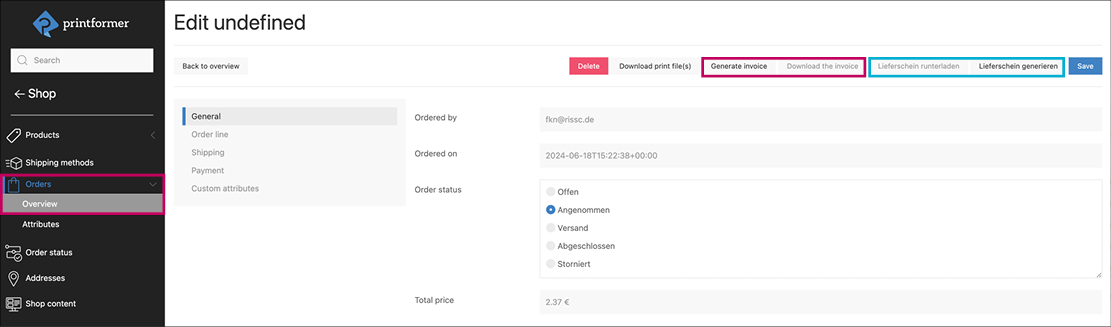
For orders in the printformer Closed Shop, invoices and delivery notes can be generated automatically on the basis of an IDML template.
InDesign-Templates
The following files can be customised as templates and uploaded under Publish > Templates.
delivery-note_PF_Additional_Page.idmldelivery-note_PF.idmlinovice-template_PF_Additional_Page.idmlinvoice-template_PF.idml
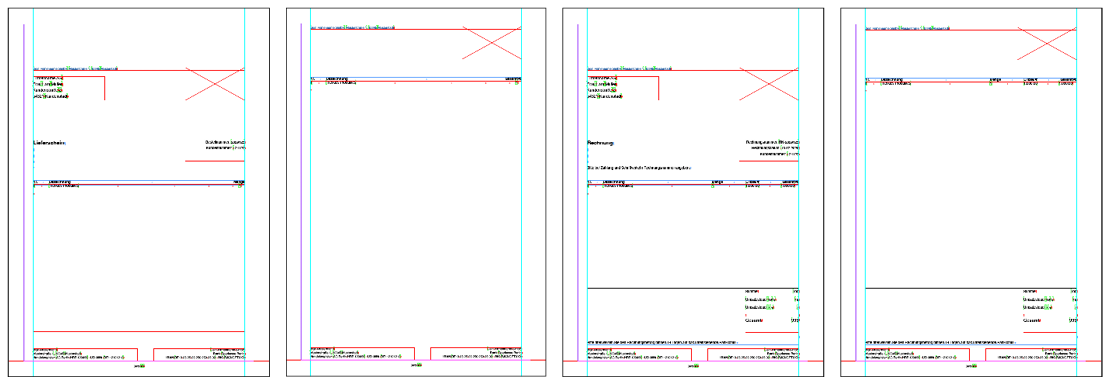
There is one template including letterhead and one for the following page(s).
Two layers are created in the files, one for static (background PDF) and one for dynamic content.
The corresponding data keys are already entered in the placeholders for the dynamic content.
Settings, attributes and conditions are also already stored in the InDesign templates.
These should not be changed for a functional invoice or delivery note template.
The text block with the list of order items should only contain one line of text with the required placeholders. These are separated using tabs.
The printformer then duplicates this line automatically for each ordered product (order item).
DataKeys und Attributes
|
Data-Keys Clients |
|
|---|---|
|
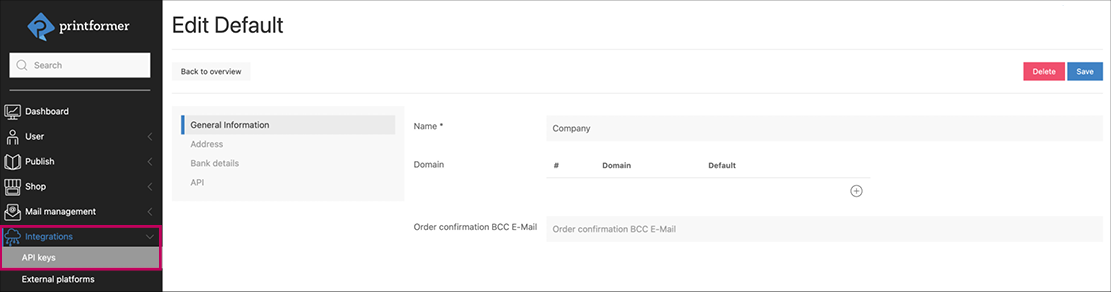
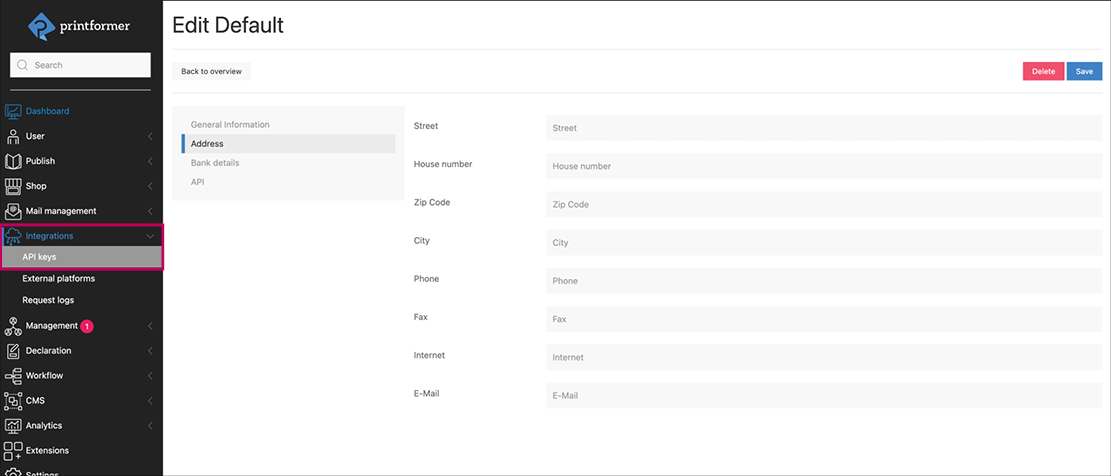
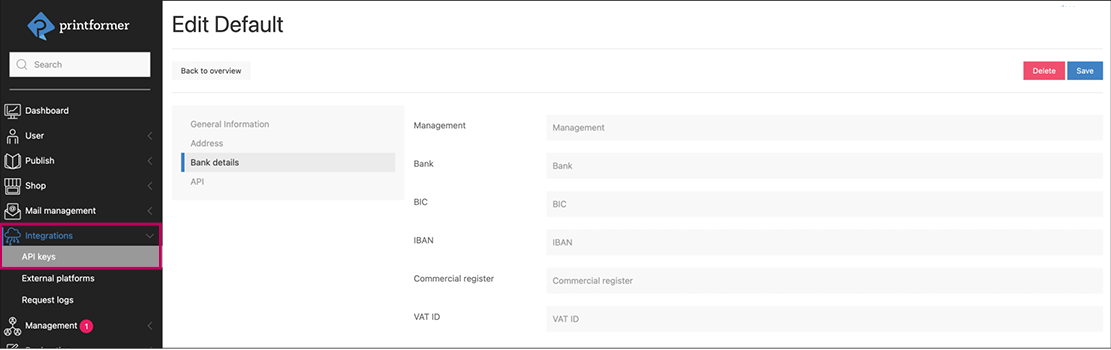
Input under Integrations > API-Keys |
|
|
General |
|
|
pf-client-name |
Name of the client in the system |
|
|
|
Address |
|
|
pf-client-street |
pf-client-zip |
|
pf-client-street-number |
pf-client-city |
|
|
|
Bank Data |
|
|
pf-client-person |
Management |
|
pf-client-bank |
Bank |
|
pf-client-bic |
BIC |
|
pf-client-iban |
IBAN |
|
pf-client-commercial-register |
Commercial register |
|
pf-client-vat-id |
VAT number |
|
|
|
Data-Keys Order |
||
|---|---|---|
|
1 |
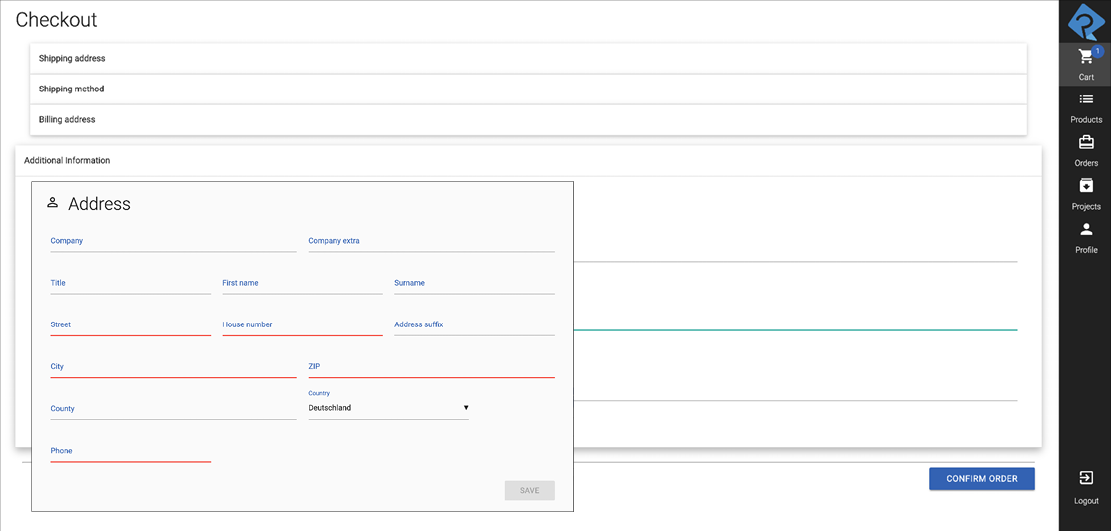
Billing address |
|
|
|
order-billing-company |
|
|
|
order-billing-company-extra |
|
|
|
order-billing-title |
|
|
|
order-billing-first-name |
|
|
|
order-billing-last-name |
|
|
|
order-billing-street |
|
|
|
order-billing-street-number |
|
|
|
order-billing-street-additional |
|
|
|
order-billing-zip |
|
|
|
order-billing-city |
|
|
|
order-billing-country |
|
|
|
order-billing-state-code |
|
|
|
order-billing-phone |
|
|
||
|
2 |
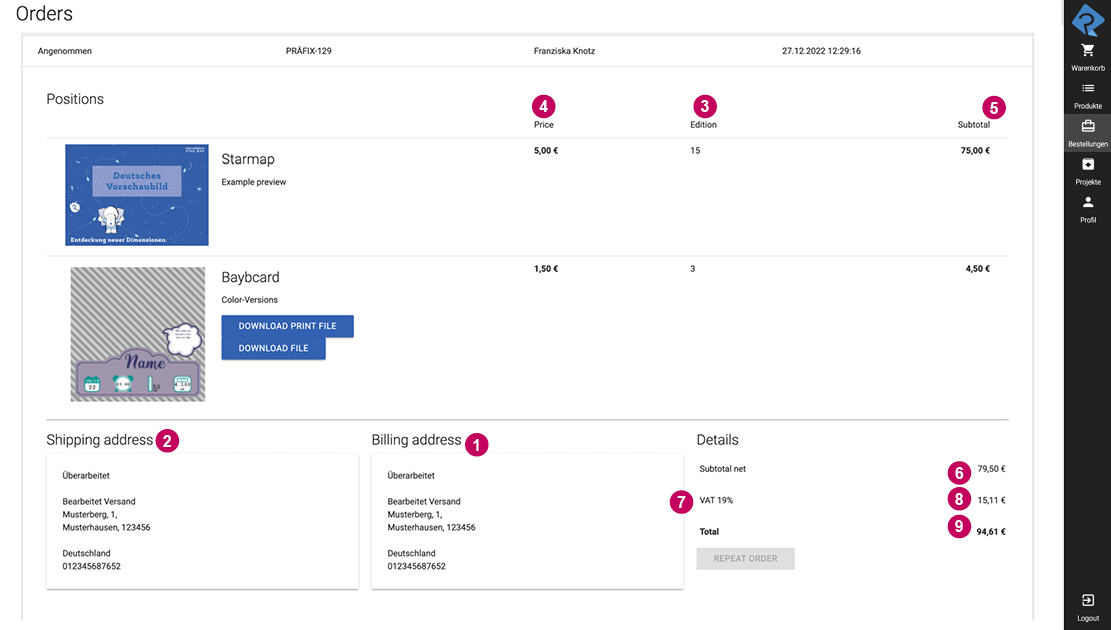
Shipping address |
|
|
|
The same DataKeys are used here as in the billing address, but the prefix is order-shipping (instead of order-billing)
|
|
|
Rechnungsdaten |
||
|
|
order-invoice-number |
|
|
|
order-invoice-date |
|
|
|
order-item-number |
|
|
|
order-item-name |
|
|
3 |
order-item-quantity |
|
|
4 |
order-item-product-price |
|
|
5 |
order-item-sum |
|
|
6 |
order-price-net |
|
|
7 |
order-standard-vat |
|
|
|
order-reduced-vat |
|
|
8 |
order-total-standard-vat |
|
|
|
order-total-reduced-vat |
|
|
|
The standard (19%) or reduced rate (7%) can be selected in the printformer for each product. |
|
|
|
order-shipping-price |
|
|
9 |
order-price-gross |
|
|
||
|
Attributes |
||
|---|---|---|
|
Name |
Value |
Description |
|
Attribute |
||
|
self-destruct |
true, false
|
Special attribute for invoice/delivery note feature: as soon as a placeholder has been initially filled, it disappears |
|
media-hunter |
static |
This media hunter can be used to refer to the one stored in the system (unter Settings > Logos) |
|
data-key-value |
pf-client-logo |
This attribute is used to output the logo as an image in the subsequent PDF (currently only e-mail logo possible) |
|
separator |
(freely selectable)
|
Definition of the separator character when using multiple DataKeys within a placeholder, e.g. space. |
|
Settings |
||
|
The Name of the attribute is always entered as settings, the value must be inserted in JSON format. |
||
|
text-overflow-behaviour |
clip, add-page, clone-page
|
Only used for PDF generation. This setting controls the behaviour if a text block overflows.
|
|
block-name |
(freely selectable) |
is required for the text-overflow-behaviour attribute so that the overflowing text can be used on the added page This attribute must be included with the same value in both templates (for invoice/delivery note). |
|
Conditions |
||
|
Als der Name des Attributs wird immer condition-json eingegeben, der Wert muss im JSON-Format eingefügt werden. condition-json is always entered as the Name of the attribute; the value must be inserted in JSON format. |
||
|
This condition ensures that the total invoice amount is only displayed on page 1 if the invoice only requires one page. |
|
|
This determines that only the VAT is shown at 19% (DataKey order-total-standard-vat) or 7% (order-total-reduced-vat) if it was used for products included in the invoice. |
|
|
This deletes the line break (footer) if no management has been specified in the system. |
|
Shop Settings
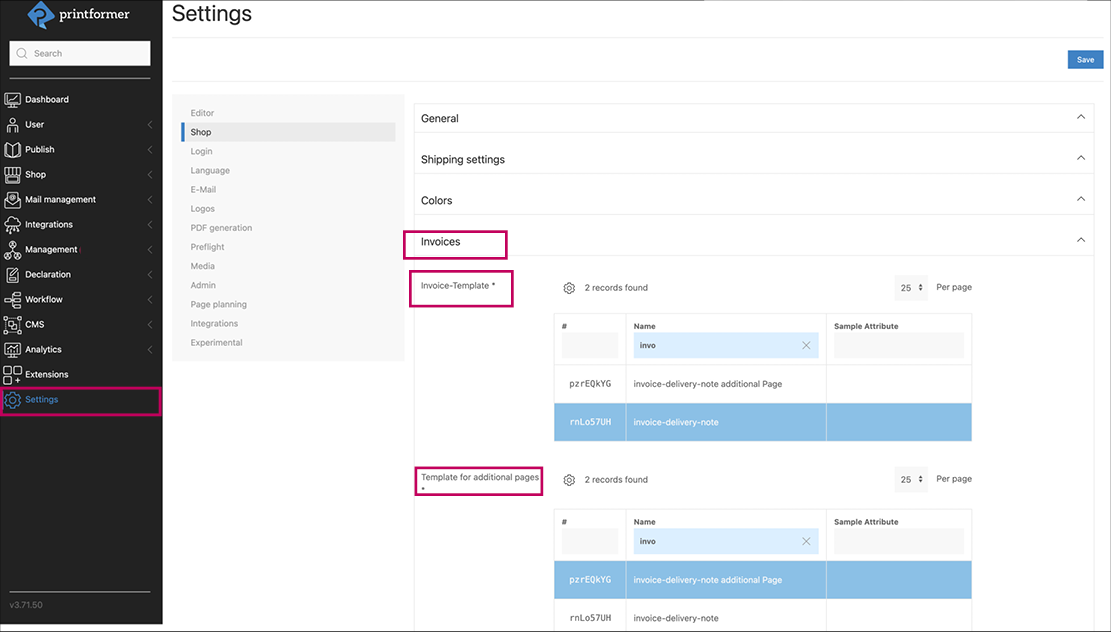
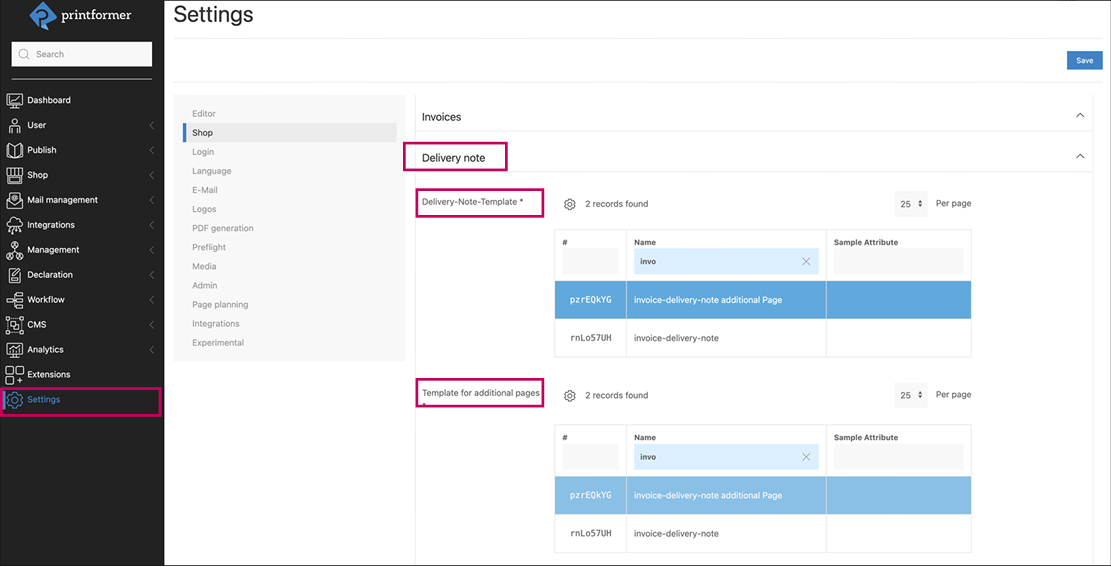
Two templates can be assigned in the settings under Shop > Invoice or Delivery note; for the first page (incl. letterhead) and for each additional page.
An order number prefix can be entered for invoices
The checkbox (Use default configuration) must be deactivated in each case.
Generating
There are now buttons on the order that can be used to generate and download the respective invoice or delivery note.