
printformer configuration and customizing
Here the functions and configurations of the printformer are described in detail via the backend access.
The admin area (backend) is divided into 12 menu items:
-
Dashboard
Overview of own printformer system -
User
User management and creation of user attributes and roles -
Publish
all template configuration issues -
Shop
Shop configuration, management of products, orders and addresses -
Mail management
Creation/management of e-mail templates -
Integrations
Integrating the printformer into external systems -
Management
Language files and notifications -
Declaration
Management of ingredient lists, nutritional value tables, BBF and product weights -
Workflow
Creating approval processes -
CMS
Creating pages and blocks -
Analytics
All derivatives created in the printformer are listed here -
Settings
Customizing the user interface
If individual features are not activated in the system, they are displayed but cannot be used.

Special features
Some functions have been customized for specific use cases and should therefore only be activated after prior consultation. If you are interested or have any questions, please do not hesitate to contact us. These special settings are marked in the documentation.
Grid
For each menu there is an overview page on which the corresponding data sets are listed.

Via the grid settings (gearwheel icon), you can select which information is to be displayed in the table.
By default, all custom attributes (created in the corresponding menu) are also displayed here. These can also be hidden via the general settings > Admin.
The arrow button refreshes the page.
In addition, in some menus the records can be activated via the checkboxes on the left and downloaded or deleted by using actions.
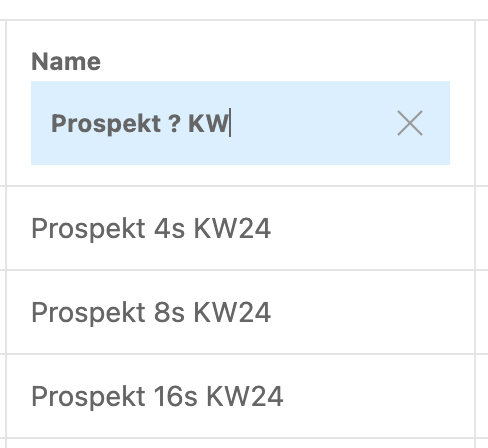
The grid can be used to filter by individual columns. In addition, a search term can be entered in the Name column. The ?-symbol can be entered here to filter for different name variants, for example.
As soon as a system contains more than one client, the settings made in the backend must be assigned to at least one client each.