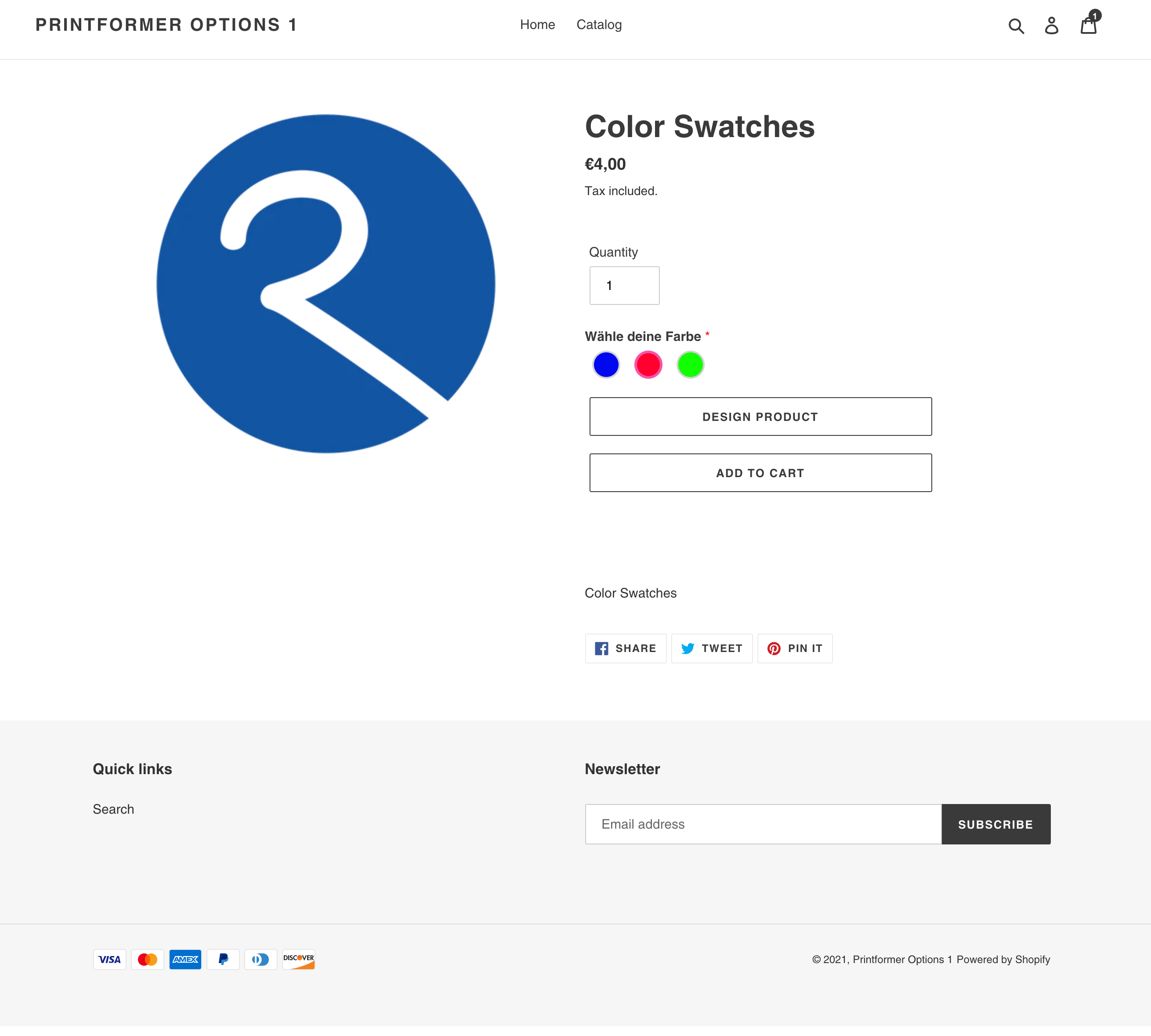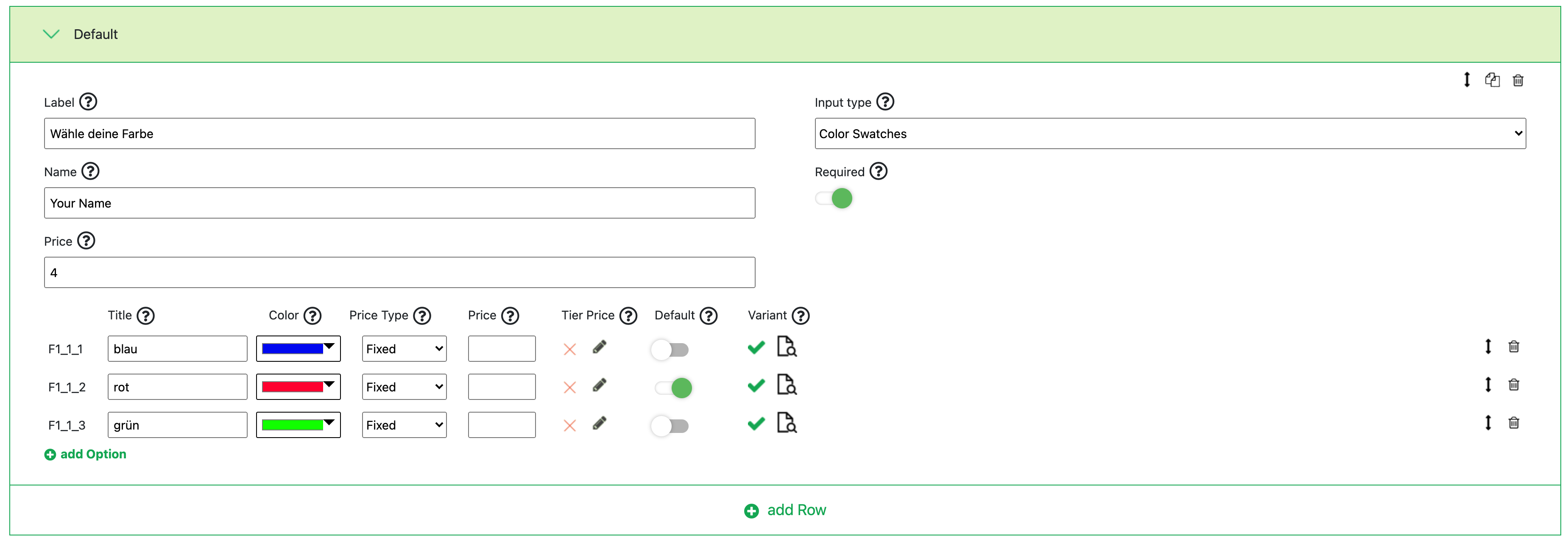
The "Color Swatches" input type is a color selection on the product page.
The following additional settings can be configured:
|
Label |
Label that is being shown on the product page |
|
Name |
Name of this option for the cart, checkout, and for the view in the admin |
|
Price |
Additional price added to the product price |
|
Default Text |
Pre-filled text when accessing the product page |
|
Required |
A required field must be filled out before adding it to the cart |
For an option, the following information can also be provided:
|
Title |
Title for the color displayed in the cart, checkout, and in the admin view |
|
Color |
Selection of the color to be displayed in the shop |
|
Price Type |
Selection of whether the surcharge should be added to the Shopify product price as a percentage or a fixed amount |
|
Price |
Surcharge for the color |
|
Tier Price |
Specification of a tiered price that should apply for a certain quantity |
|
Default |
Selection of which color should be preselected when accessing the product page |
|
Variant |
Linking a printformer variant to automatically select a specific color variant in printformer. After clicking on the magnifying glass, all available color variants from printformer are displayed, and these can be selected via a checkbox |
On the product page in Shopify, the configuration made above looks as follows: