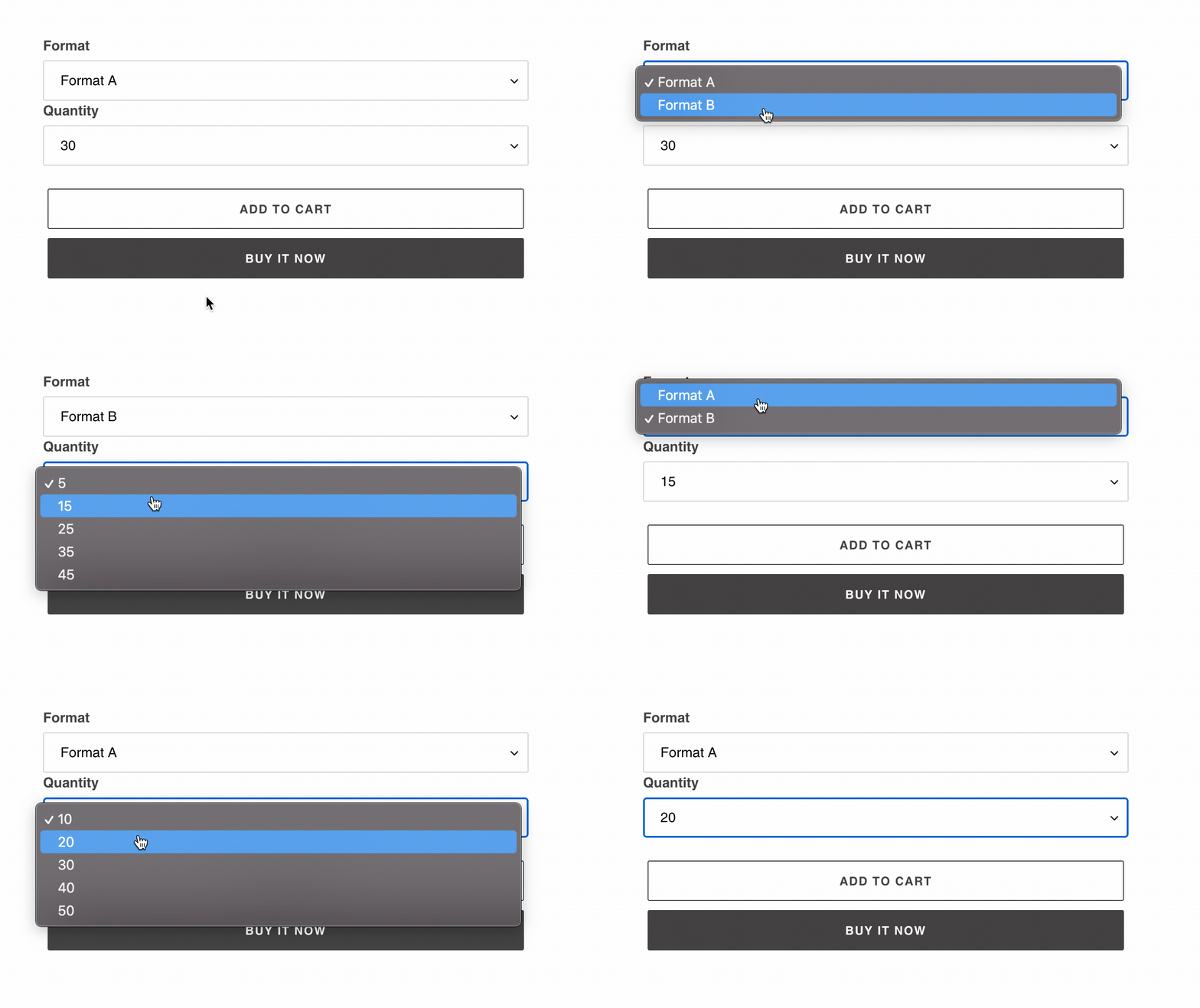
Standardly, Shopify only has a text box for entering the quantity on the product page. If products should only be available in specific quantities, the "Quantity Dropdown" setting can be used.

This outputs all the defined quantity tiers from the Tier Prices in a dropdown. It also takes into account if the quantity tiers differ between options.
Both the general quantity tiers and those linked to the options are considered.
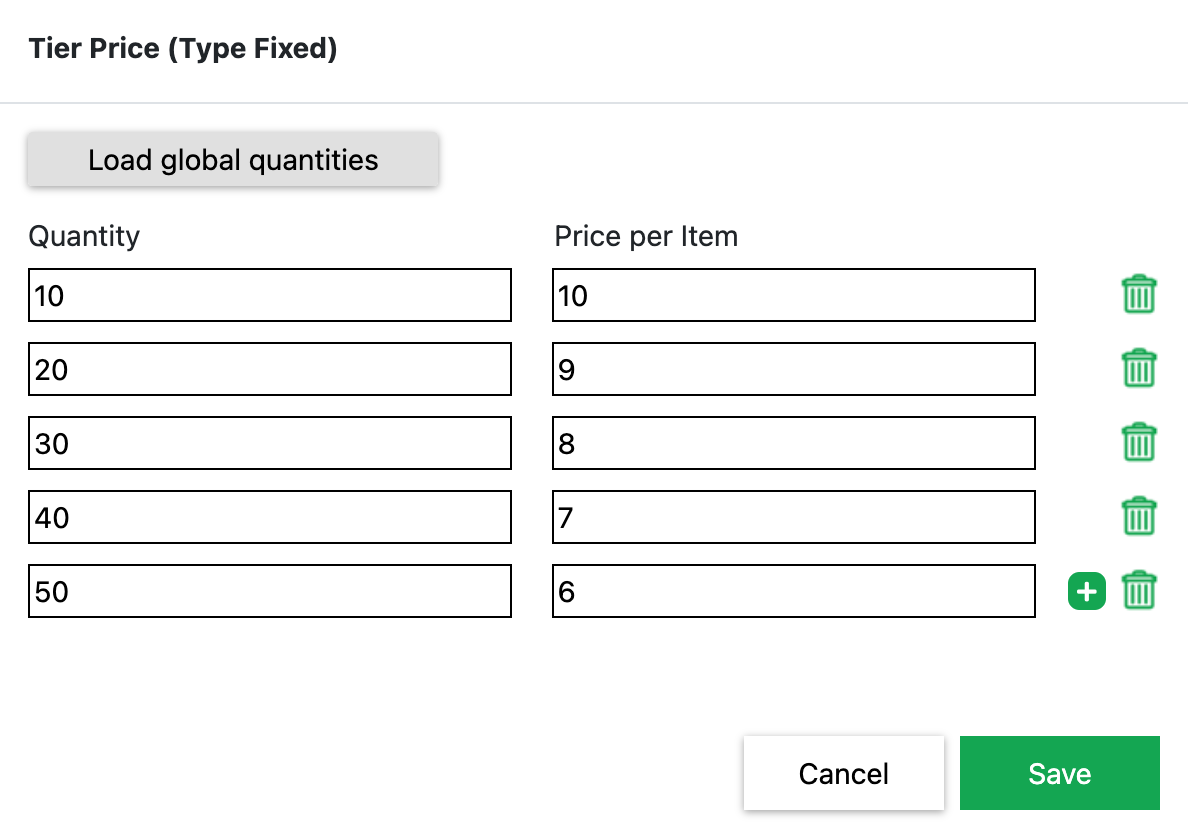
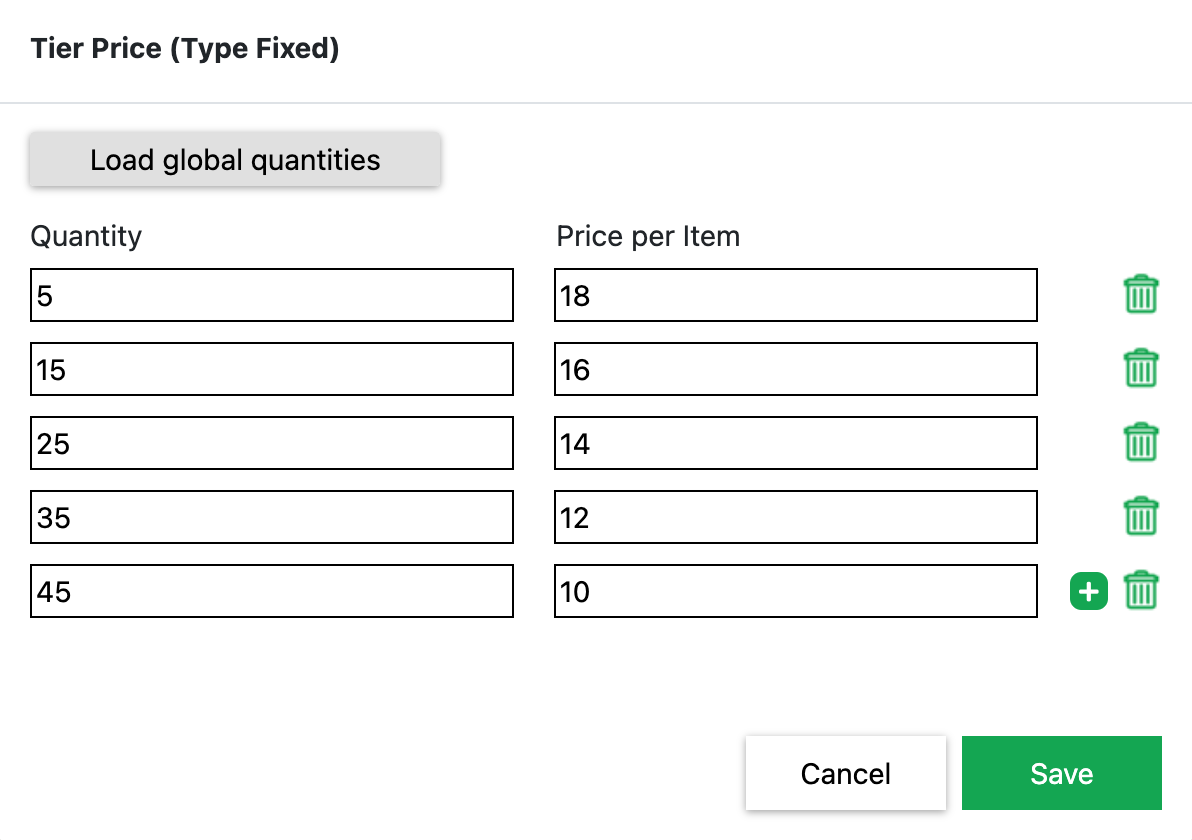
In the following example, different quantity tiers were set for Format A and Format B using Tier Prices.
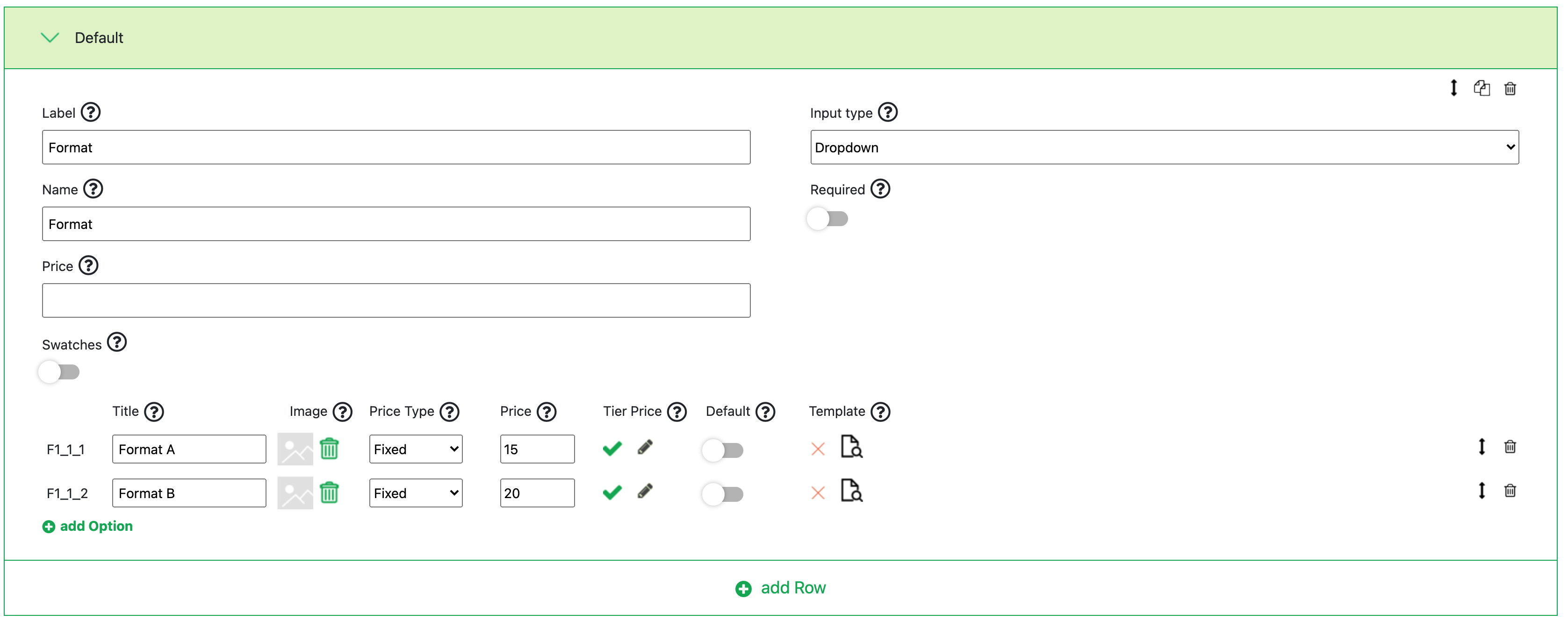
Format A
Format B
On the product page in Shopify, the setting behaves as follows: