
In the printformer admin area, the language selector can be used to translate language versions of individual settings, e.g. validations, notes or categories, derivatives, into the languages available in the system.
Sample validation:
A validation has already been created in English.
Setting language versions
For further language adaptations, a language is selected via the language selector, the text input is overwritten with the corresponding language and then saved:
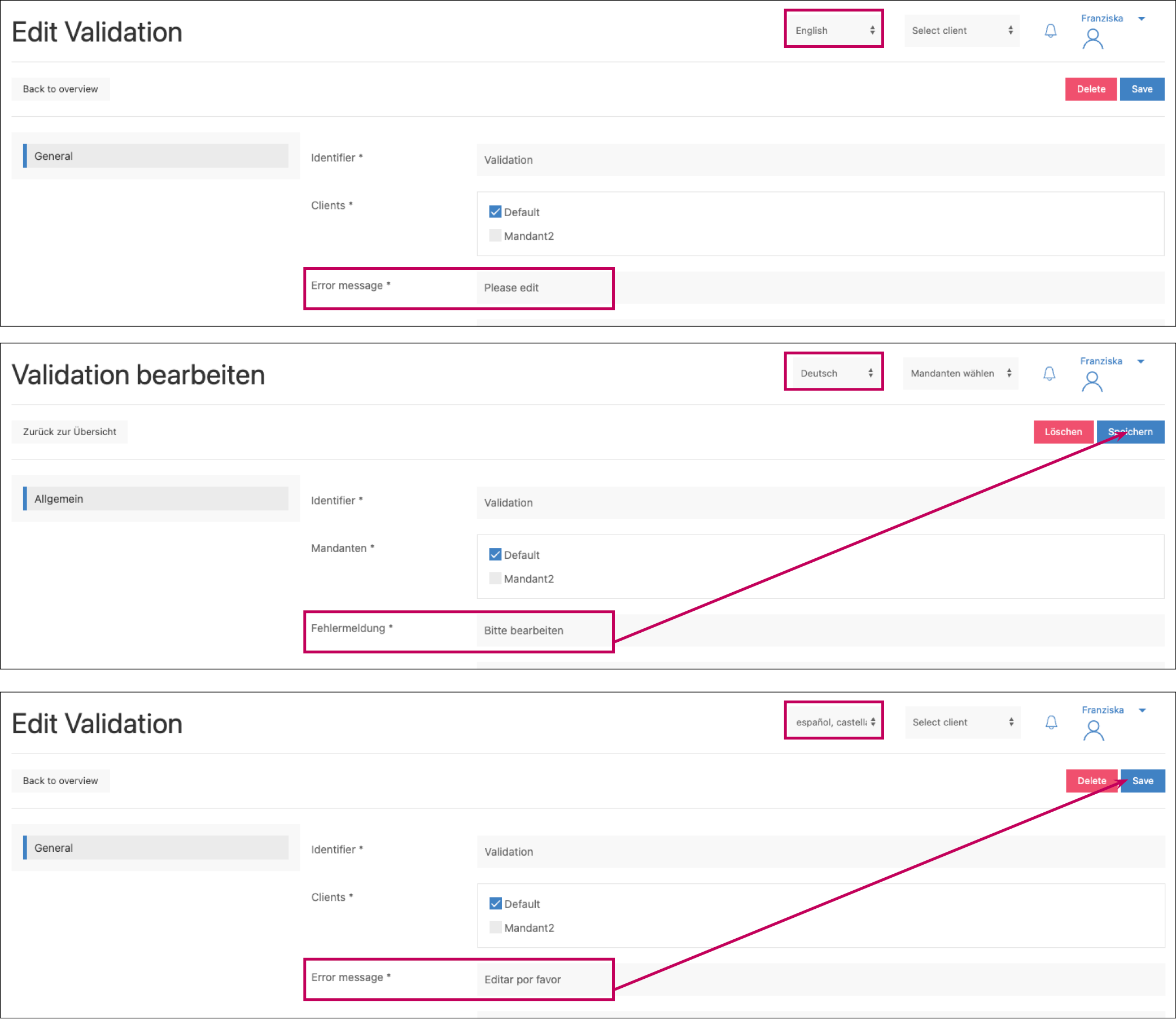
The first language version must always be created in the default language, otherwise incorrect assignments may occur.
List of all features/settings Option for language versions:
-
Admin
-
User
-
User attributes (Label)
-
User roles (Name)
-
-
Publish
-
Templates
-
Template categories (Name)
-
Page template categories (Name)
-
-
System Media
-
Categories (Name)
-
Shapes → Categories (Name)
-
-
Drafts
-
Draft attributes (Label)
-
-
Management
-
Template DataKeys (Label)
-
Tags → Tag Value
-
Block content validations (Label)
-
Derivatives (Label)
-
-
-
Shop
-
Products (Name, Descriptions)
-
Attributes (Label)
-
Categories (Label)
-
-
Orders
-
Attributes (Label)
-
-
Mail-Management
-
Templates (Content)
-
-
CMS
-
Pages (Title)
-
Blocks (Text)
-
-
Settings
-
all customisable menu items
-
Media
-
Media Provider Translations
-
-
-